tmux
实用配置
# 需要先安装tpm插件
git clone https://github.com/tmux-plugins/tpm ~/.tmux/plugins/tpm

# # List of plugin
set -g @plugin 'tmux-plugin/tpm'
# 可以将 tmux 中出现的链接全部列出,然后跳转
# 使用 ctrl-b + u 显示链接列表,然后 ctrl 上下键选择,回车,再回车确定即可
set -g @plugin 'tmux-plugins/tmux-urlview'

# # Configurations

# increase scrollback buffer size
set -g history-limit 50000

# tmux messages are displayed for 4 seconds
set -g display-time 4000

# refresh 'status-left' and 'status-right' more often
set -g status-interval 5

# upgrade $TERM
set -g default-terminal "screen-256color"
set-option -ga terminal-overrides ",*256col*:Tc" # 这句是关键

# focus events enabled for terminals that support them
set -g focus-events on

# bind C-a as prefix
set -g prefix C-a
unbind C-b
bind C-a send-prefix

# if prefix is 'C-a'
bind a last-window

# source .tmux.conf as suggested in `man tmux`
bind R source-file '/home/faceunity/.tmux.conf'

# Initialize TMUX plugin manager (keep this line at the very bottom of tmux.conf)
run '~/.tmux/plugins/tpm/tpm'

set -g mouse on
setw -g mode-keys vi

# 配置鼠标选择行为:释放鼠标后不退出选择模式
unbind -T copy-mode-vi MouseDragEnd1Pane
bind -T copy-mode-vi MouseDragEnd1Pane send-keys -X copy-selection

# 解决lunarvim Esc-j 触发alt-j快捷键,导致行移动的问题,不能为0,不然会导致wsl中出现额外字符
set -s escape-time 10

# 解决总异常触发tmux中的选中模式
unbind -n MouseDown3Pane
unbind -n MouseDrag1Pane

# 新建 window 时继承当前目录 (prefix + c)
bind c new-window -c "#{pane_current_path}"

# 上下分屏时继承当前目录 (prefix + ")
bind '"' split-window -c "#{pane_current_path}"

# 左右分屏时继承当前目录 (prefix + %)
bind % split-window -h -c "#{pane_current_path}"

# 1. 允许 tmux 读写并向外转发终端剪贴板
set -s set-clipboard on

# 2. 允许转义序列直接透传给外层终端(tmux 3.3+ 强烈建议开启)
# set -g allow-passthrough on

# 3. 告诉 tmux 外部终端支持 OSC 52 剪贴板协议(Ms 扩展)
set -as terminal-overrides ',*:Ms=\E]52;%p1%s;%p2%s\007'
指令
# 创建一个会话
tmux

# 创建一个带名字的会话
tmux new -s <session_name>

# 列出所有会话
tmux ls

# 附加到现有tmux会话
tmux attach -t <session_name>

# 杀死会话
tmux kill-session -t <session_name>

# 杀死所有会话
tmux kill-server

# 从会话中分离,在tmux会话中
<prefix> + d # 默认prefix为C-b,通常修改为C-a

# 打开上一次的tmux session
tmux a

# 重命名当前会话
<prefix> + : # 随后输入rename-session <new_name>

# 重载tmux配置
tmux source-file ~/.tmux.conf

# 合并窗口
# 在合并的目标窗口执行 -s后面的数字是要合过来的窗口id -v是竖直拆分 -h是水平拆分
tmux join-pane -s 2 -v
# 如果需要合入的窗口正在执行程序,可以先挂到后台: CTRL+Z,查看后台: jobs,唤起fg %<id> id是jobs是看到的,当然如果当前只有一个后台的话,也可以直接fg唤起。
快捷键
# 切换下一个窗口
# C-<Prefix> + n

# 切换上一个窗口
# C-<Prefix> + p

# 跳转到窗口
# C-<Prefix> + number

# 水平分割窗口
# C-<Prefix> + "

# 竖直分割窗口
# C-<Prefix> + %

# 跳转窗口
# C-<Prefix> + 数字

# 返回上一个活动窗口
# C-<Prefix> + l

# 重命名当前窗口
# C-<Prefix> + ,
配置
插件
安装插件
git clone https://github.com/tmux-plugins/tpm ~/.tmux/plugins/tpm插件配置
参考:简单而轻巧的Tmux插件扩展 | Escape (escapelife.site) 后续空闲时间再做整理
tmuxp
tmux 会话管理器,通过 JSON/YAML 配置文件管理会话,可以保存和恢复session的窗口/面板(包括其中执行的指令,比如htop等)
安装
pip install tmuxp常用命令
# 加载配置并启动会话
tmuxp load <config_name_or_path>

# 导出当前会话为配置 (snapshot)
tmuxp freeze <session_name>

# 列出所有可用的配置
tmuxp ls
配置示例
默认配置目录: ~/.tmuxp/,以下是一个我的comfyui工作区的配置,主要目的是监控cpu、gpu状态,工作流执行进度等。
session_name: 'comfyui'
windows:
- window_name: bash
  focus: 'true'
  layout: 5e40,177x56,0,0{88x56,0,0[88x28,0,0,1,88x27,0,29,2],88x56,89,0[88x28,89,0,3,88x27,89,29,4]}
  # 关键:在进入每个分屏前执行以下命令
  shell_command_before:
    - conda activate py312
  options:
    automatic-rename: false
  panes:
    - shell_command: # 第1个分屏
        - clear      # 只是清个屏,保持在 shell 状态
    - htop           # 第2个分屏:执行 htop
    - focus: 'true'  # 第3个分屏:保持在 shell 状态
      shell_command:
        - clear
    - nvtop          # 第4个分屏:执行 nvtop
  start_directory: /home/k/Projects/ComfyUI

- window_name: bash
  layout: c9c2,177x56,0,0,5
  # 第二个窗口也应用同样的环境
  shell_command_before:
    - conda activate py312
  options:
    automatic-rename: false
  panes:
    - focus: 'true'
      shell_command:
        - clear
  start_directory: /home/k/Projects/ComfyUI
tmux 下使用 OSC 52
常见坑
tmux 作为终端复用器,默认会拦截并过滤掉内部程序发送的转义字符。Neovim 发出的 OSC 52 剪贴板控制码会被 tmux 吞掉,传不到最外层,导致在 tmux 里复制失效。
解决办法:在远端服务器的 ~/.tmux.conf 中开启剪贴板透传支持。
第一步:编辑 ~/.tmux.conf
# 1. 允许 tmux 读写并向外转发终端剪贴板
set -s set-clipboard on

# 2. 允许转义序列直接透传给外层终端(tmux 3.3+ 强烈建议开启)
# set -g allow-passthrough on

# 3. 告诉 tmux 外部终端支持 OSC 52 剪贴板协议(Ms 扩展)
set -as terminal-overrides ',*:Ms=\E]52;%p1%s;%p2%s\007'
第二步:使配置生效
set -s(server 级别)的选项需要重新加载配置文件或完全重启 tmux 服务才能生效,二选一:
# 方式一:在已打开的 tmux 会话中重新加载(快捷键前缀 C-b : 后输入)
source-file ~/.tmux.conf

# 方式二:彻底重启 tmux(推荐)
tmux kill-server
tmux
第三步:验证
在 tmux 内部打开 Neovim,选中文本执行 yy(或 "+y),切到外部 App 直接粘贴,应该就能正常工作了。
问题
shift + 鼠标左键选择后取消不了
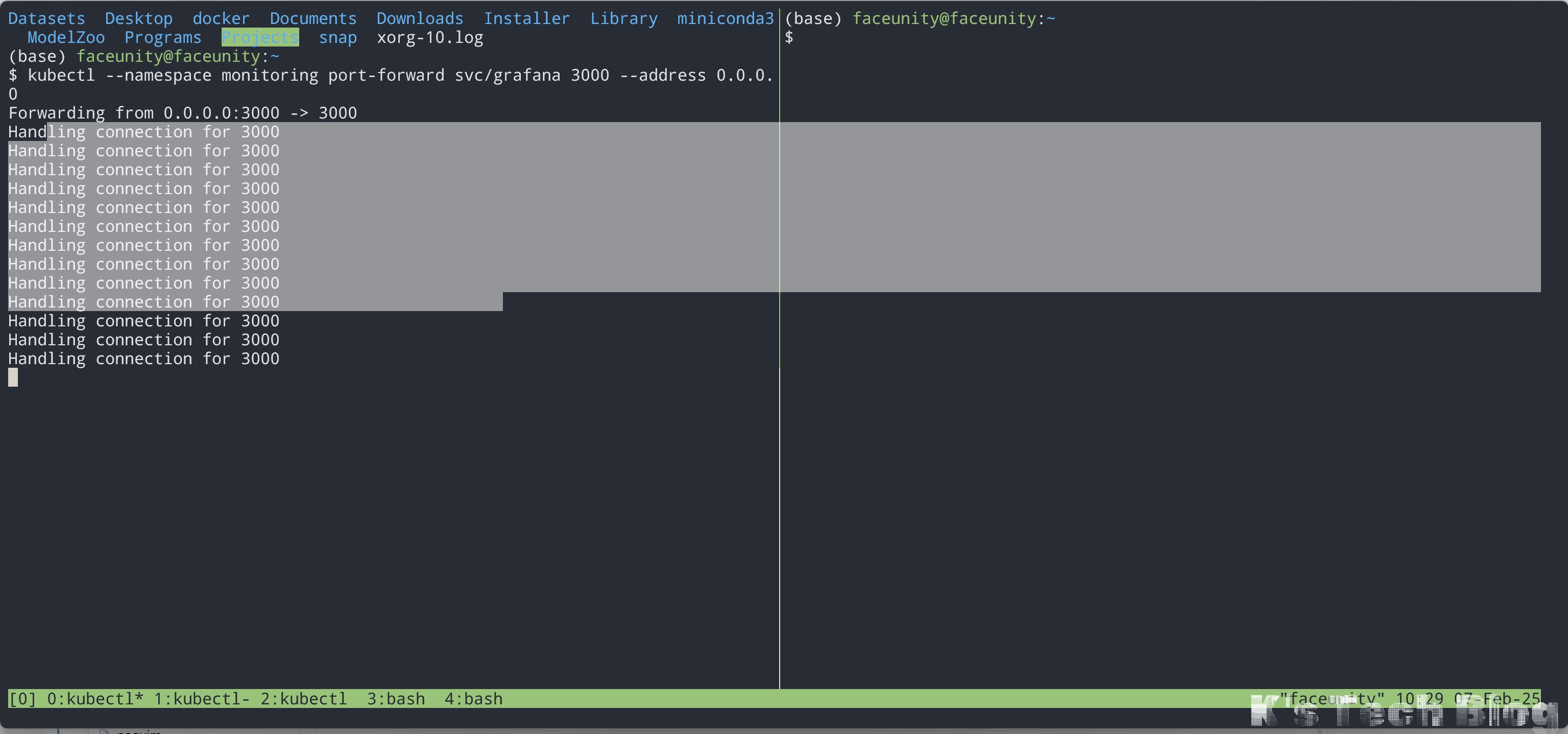 输入一下Prefix就行了,比如按照上面的配置Prefix就是
CTRL+a。
mouse on之后无法 鼠标右键快捷复制粘贴
Q: windows下在终端中,左键选择之后点击右键,可以快速复制,在空白地方再右键,可以快速粘贴。但是在tmux开启鼠标之后,这个行为被覆盖掉了,选择之后释放左键,选择会消失
A: 不释放左键,直接右键就可以复制了。粘贴的时候SHIFT + 右键。