RustDesk Server配置
docker安装
服务端
docker-compose文件如下所示:
services:
  hbbs:
    container_name: hbbs
    image: rustdesk/rustdesk-server:latest
    command: hbbs -r 192.168.0.211:21117
    volumes:
      - ./data:/root

    depends_on:
      - hbbr
    restart: always
    # network_mode: host
    network_mode: bridge
    ports:
      - "21115:21115"
      - "21116:21116"
      - "21116:21116/udp" # 这个很重要,从官方github上看到的
      - "21118:21118"

  hbbr:
    container_name: hbbr
    image: rustdesk/rustdesk-server:latest
    command: hbbr
    volumes:
      - ./data:/root
    restart: always
    # network_mode: host
    network_mode: bridge
    ports:
      - "21117:21117"
      - "21119:21119"

# Because using docker host mode
# Just in case you forgot the ports:
# 21114 TCP for web console, only available in Pro version
# 21115 TCP for NAT type test
# 21116 TCP TCP hole punching
# 21116 UDP heartbeat/ID server
# 21117 TCP relay
# 21118/21119 TCP for web socket if you want to run web client端口对外暴漏只用暴漏21116/BOTH和21117/TCP。
客户端
端口这样填写
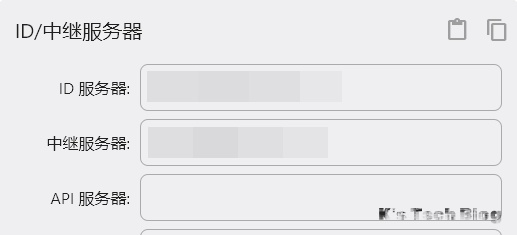
API服务器
开源API服务器实现: https://github.com/liyan-lucky/rustdesk-api-server-pro
Trouble Shoot
WayLand
Login screen using Wayland is not supported yet. If you wanna access login screen after reboot or logout with RustDesk, you need to change login screen to X11, please modify below line to WaylandEnable=false in /etc/gdm/custom.conf or /etc/gdm3/custom.conf:
#WaylandEnable=false